
Credit card and installments: the bill under control, the future without surprises
The credit card is where financial control slips for most households: the spending happens today, the bill arrives next month and the installments spread across the year. By the time the family notices, "how much can I spend?" has become a guess.
ClariFin treats a card as a card — not as just another account: each purchase goes to the right bill, installment plans create the following months’ installments right away, and you can see today what will weigh in March. This page shows how that works in practice.
Account balance and card bill are different views
A classic control mistake is treating a credit purchase as if the money had left the account right away. It did not: it left your LIMIT, and it will leave the account only when the bill is paid. Mixing the two views produces double counting — the expense shows up at the purchase AND at the payment — or, worse, shows up nowhere.
In ClariFin the two views coexist, separate and connected: the card entry goes into the bill of the right period (the closing date is respected), and paying the bill is the event that debits the account. The expense counts once, in the right place, and the account balance keeps matching the bank statement.
Single and installment purchases
A single card purchase is simple: one entry, one bill. Installment purchases are where tools usually fail — many record only the first installment and the rest of the plan simply disappears from planning.
In ClariFin an installment purchase is born whole: you record it once (10 x 250, for example) and all ten installments are created immediately, each in its own month’s bill. The purchase total stays visible, what has been paid is marked, and what is left appears exactly where it will hurt — in the future bills.
The same holds for what is still a forecast: provisioned expenses coexist with actual ones, and the monthly view makes clear what is fact and what is planning.
Open, paid and future bills
Each card has its own timeline of bills: the open one (accumulating this cycle’s purchases), the paid ones (closed history) and the future ones (already populated by the installments of ongoing plans).
Payment is recorded against the bill — in full or in part — and you can correct course when real life interferes: reprocess a bill, reverse a payment entered by mistake, all with confirmation and history. Due-date reminders arrive by email and notification so paying does not depend on anyone’s memory.
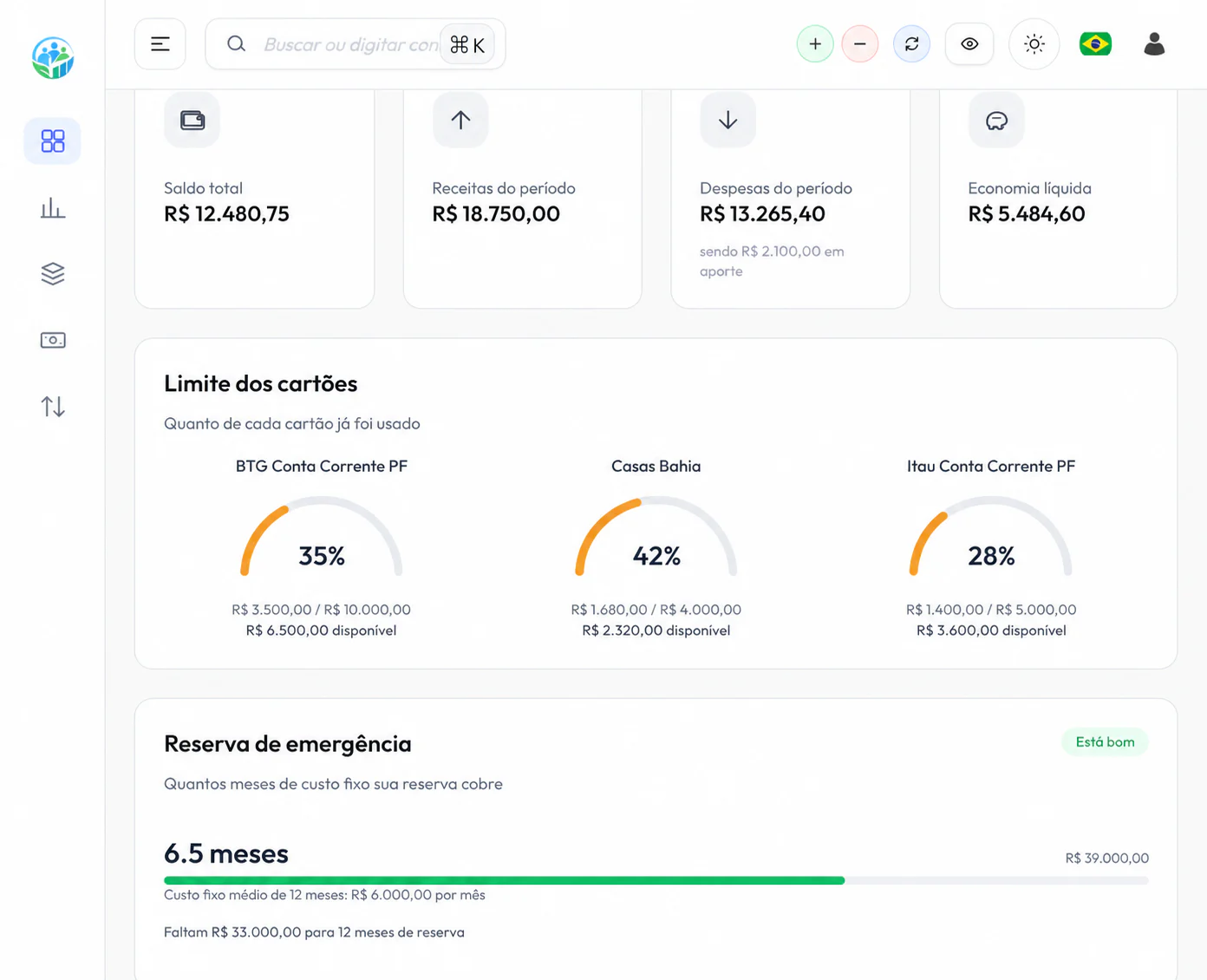
Each card’s limit is on the panel too: how much of it the current bill and the installments already consumed, and how much real room is left — not the imaginary room of someone who forgot the sofa plan.
Payments, refunds and corrections
Real life has returned purchases, duplicate charges and payments recorded on the wrong account. A control system that cannot undo becomes a prison: either you keep the wrong data forever, or you erase everything and lose the history.
In ClariFin payment has a full cycle: record it (one installment, several at once, or the whole bill), reverse it when it was a mistake, and adjust it while keeping the trail of what happened. A reversal does not erase the past — it records the correction, which is the healthy way to keep numbers trustworthy.
What is already committed in the coming months
The question that separates who is in control from who is fighting fires: how much of the coming months is ALREADY committed? An installment plan is contracted future spending — and invisible in most banking apps, which only show the current bill.
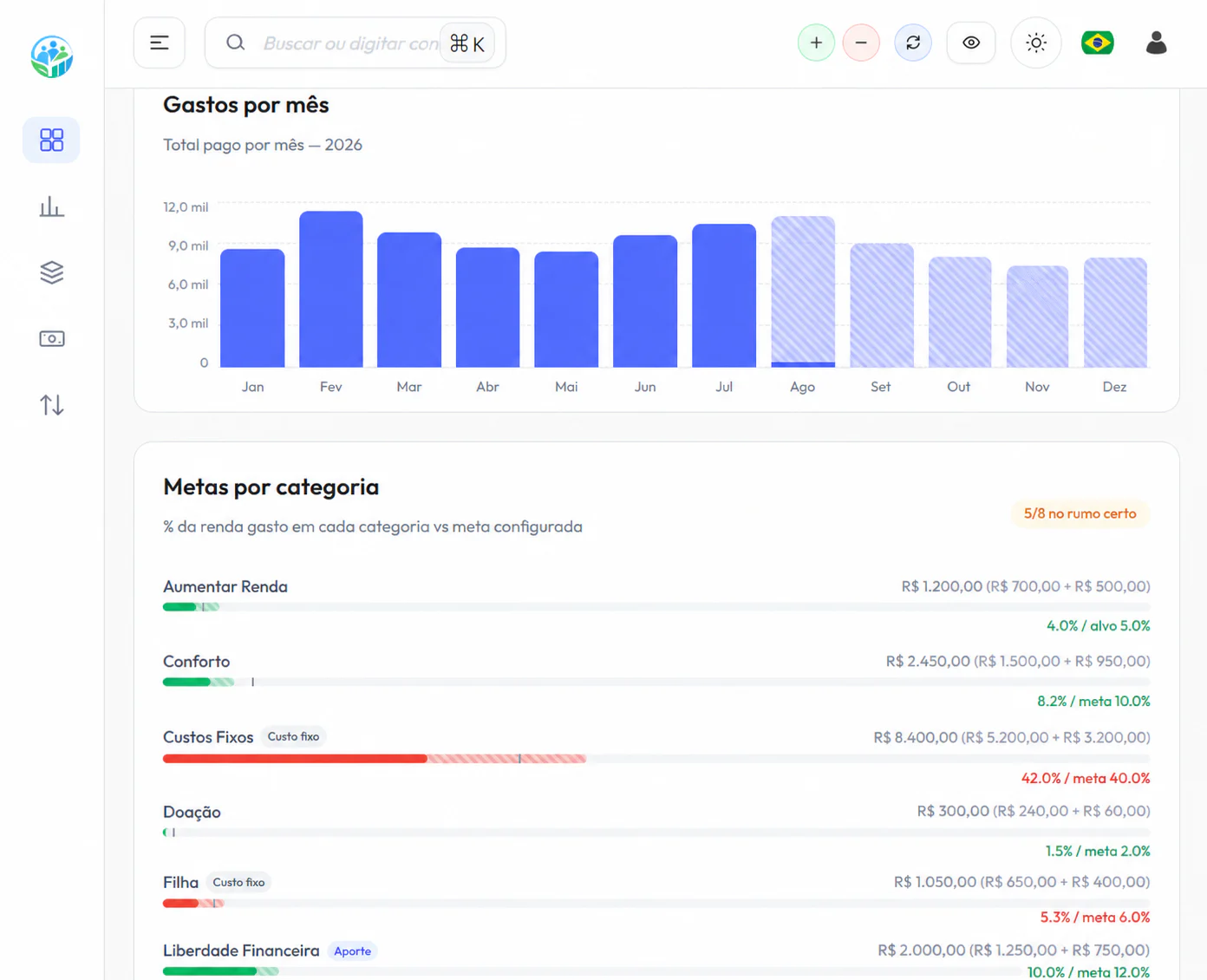
Because all installments are created when the purchase is recorded, ClariFin answers that on a plate: the monthly view shows the future bills already formed, month by month, before any new purchase. That is the difference between deciding on an installment plan while looking at today’s statement and deciding while looking at the year.
Assisted bill import
Nobody deserves to type a whole card bill by hand. ClariFin has assisted import for statements and card bills in supported layouts: you send the file, the app suggests entries and matches against what already exists, and YOU review and confirm before anything is added — including the option to reverse the approval if something went wrong.
You can also speed up daily logging with a photo of the card receipt: OCR fills in the initial data and the confirmation stays with you. It is worth stating what does NOT exist yet: an automatic bank connection (Open Finance) remains on the product’s radar, but today the design is import with human review — your data goes in because you checked it, not because a robot decided so.
Frequently asked questions
Does ClariFin connect to my card and fetch the bill by itself?
Not yet. Today the path is assisted import: you send the statement or bill file (supported layouts), the app suggests entries and matches, and you review before confirming. An Open Finance connection is on the radar for a future stage.
How does the app handle an installment purchase?
The purchase is recorded once and every installment is created right away, each in its own month’s bill. You see the purchase total, what has been paid and what will still weigh on the future bills.
I entered a payment wrong, or the shop refunded me. What now?
ClariFin records refunds and lets you undo payments entered by mistake, keeping the history of the correction — the numbers stay trustworthy without erasing the past.
Do I get a warning when an installment or bill is about to be due?
Yes. Due-date reminders arrive by email and by notification, with a direct link to what is pending — paying does not depend on memory.