
Budget control that shows today and helps you prepare for next month
Controlling a budget should not require a difficult spreadsheet or hours of work at month end. ClariFin brings expenses, accounts, cards, installments, goals and family spending into one clear view so you can understand what happened and decide what to do next.
See how the system follows the routine from recording a purchase to checking the card bill and closing shared household expenses.
- Free account with no charge to get started.
- Monthly and annual view of household money.
- Cards, bills and future installments organized.
- Family splits and month-end settlement calculated by the system.
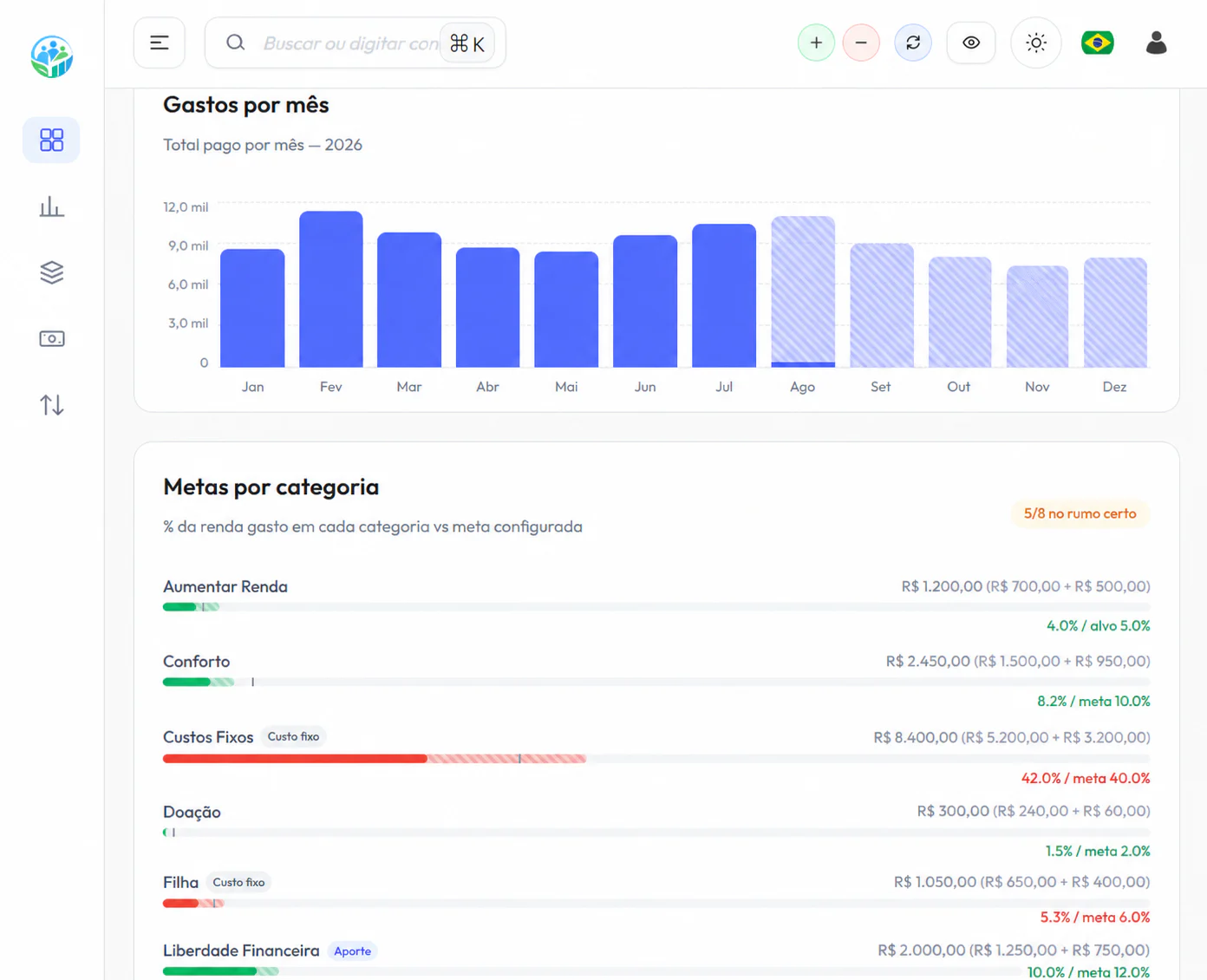
1. See the whole budget, not only the bank balance
The balance shows what exists now, but it does not explain how much is already committed to card bills, installments and upcoming expenses. ClariFin combines what came in, what went out, what is planned and how much each category has used from the budget.
The monthly view and annual comparison help identify pressured months, categories outside their target and room for reserves, goals or debt reduction. The purpose is not to produce more numbers, but to make decisions earlier.
2. Record the routine without turning it into a second job
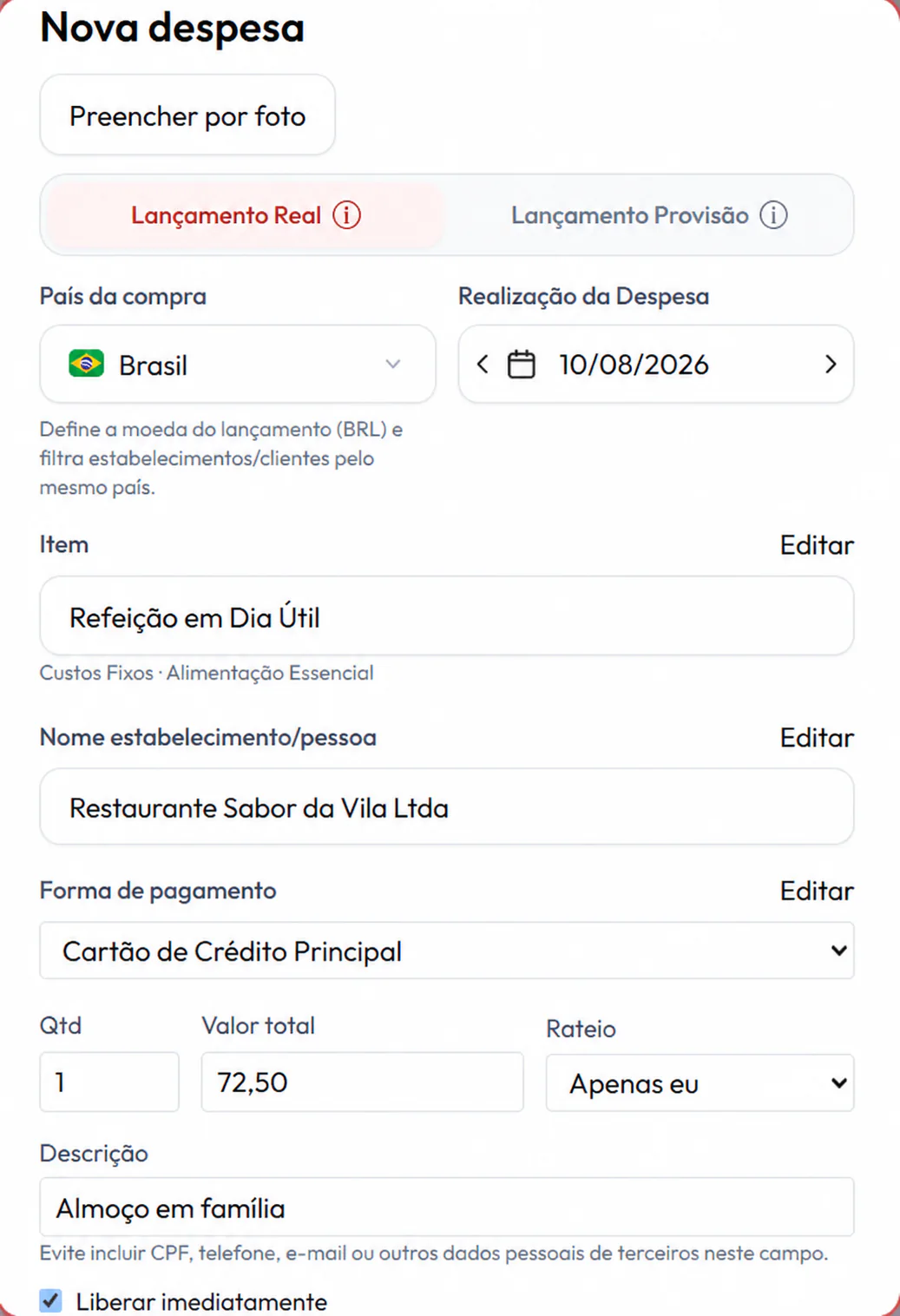
Each entry brings together amount, date, category, account or card, merchant and split. Installment purchases are recorded once and each payment appears in the right month. A receipt photo helps fill in the details, always with your review before confirmation.
Assisted import reduces the work with supported statement and card bill formats. Bank data consultation is currently being validated. Until then, you remain in control of what enters the system and confirm the information before saving it.
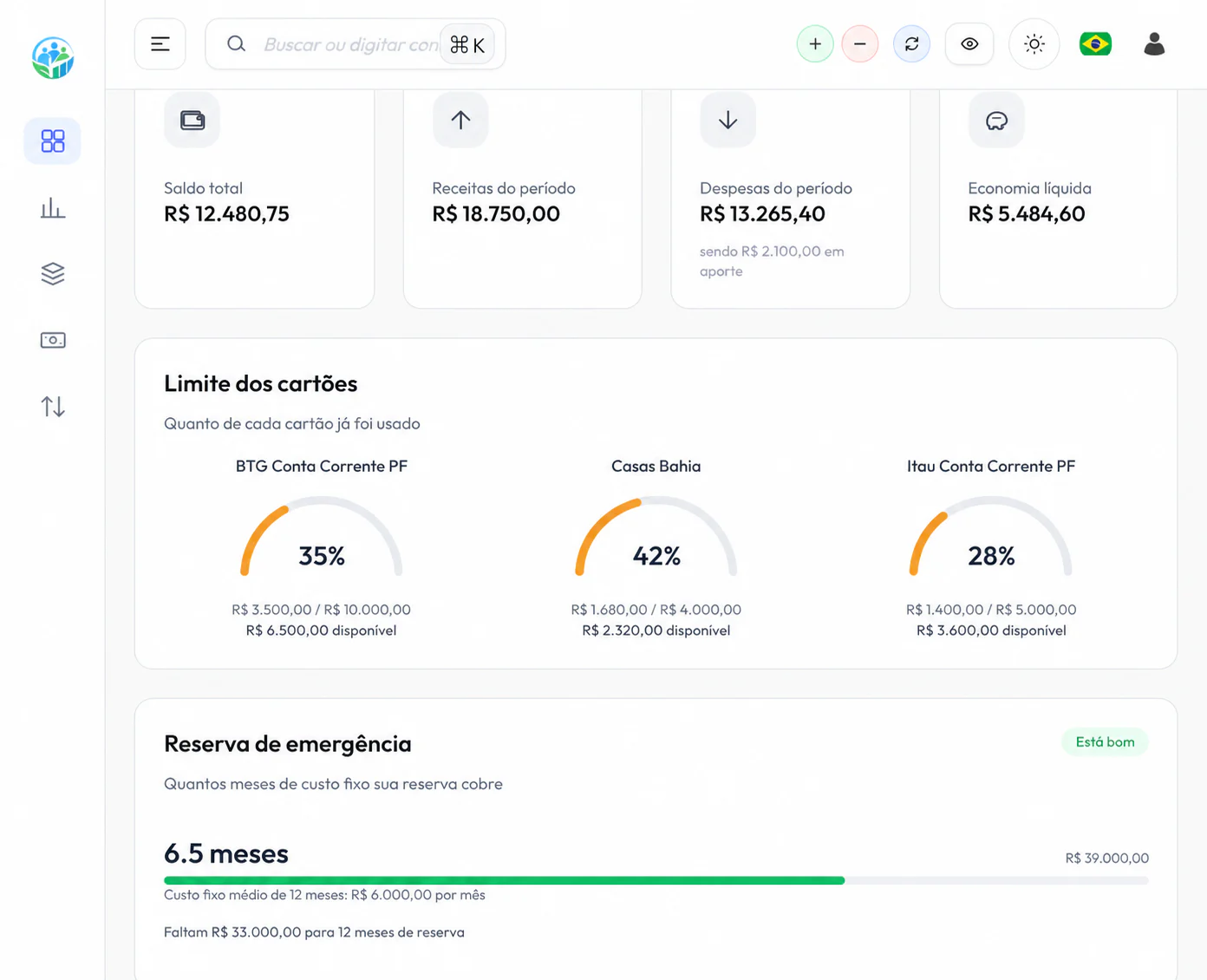
3. Know how much your cards have already committed in future months
Available card limit is not income. ClariFin organizes each card, open, paid and future bills, and the installments still to come. A new purchase can therefore be evaluated against the year, not only its monthly payment.
Payments, refunds and adjustments stay connected to the right bill. During reconciliation, you can check whether each charge belongs to your routine and find differences before the due date.
4. Organize an individual or family budget according to your agreement
Every family handles money differently. During setup, ClariFin lets you choose an individual or joint budget. Household expenses can be split equally, in proportion to income or with specific percentages.
The system separates who paid from who shares the expense. At month end, it compares what each person paid with the share they should carry and calculates the settlement. This avoids side calculations and conversations based on memory.
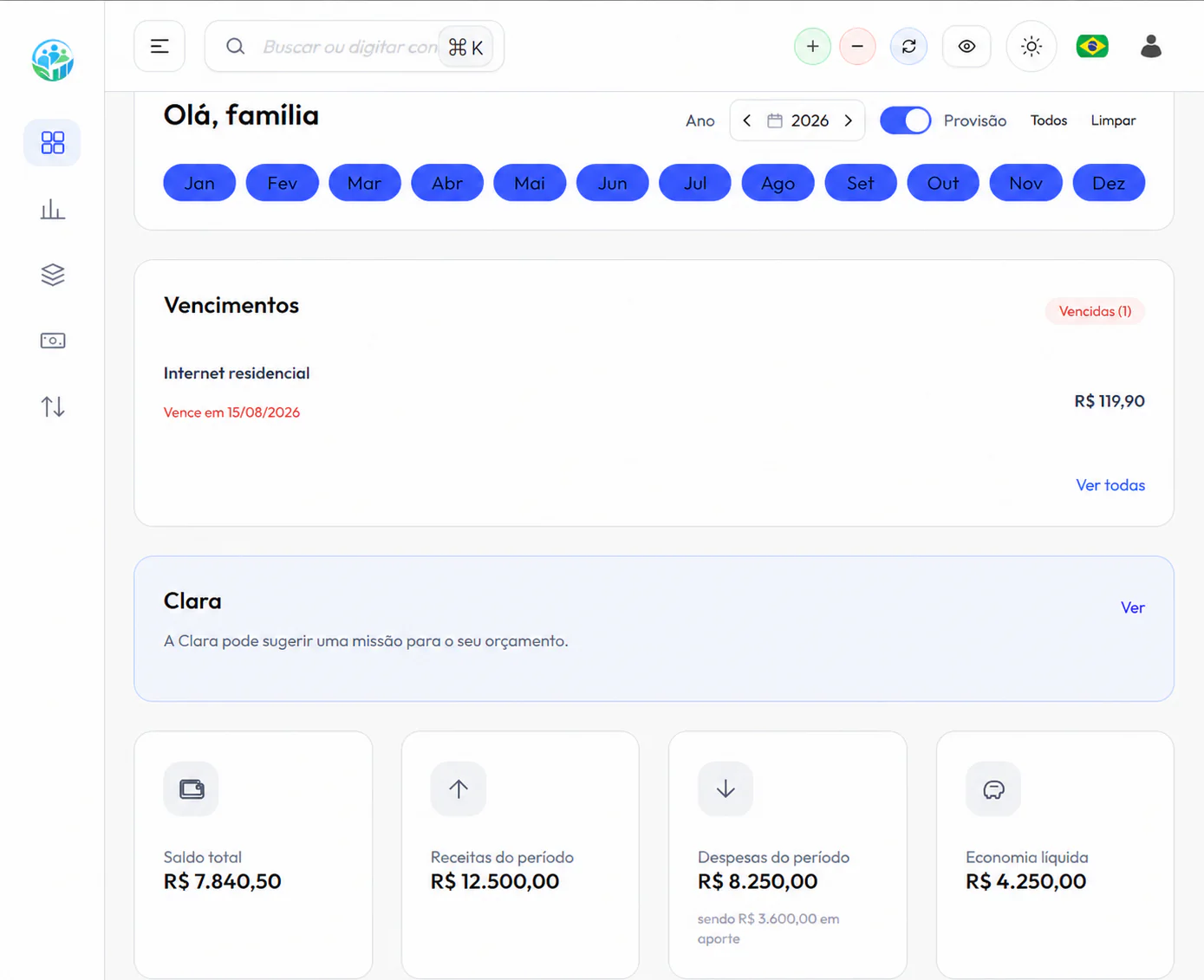
5. Review, close the month and turn history into a decision
Filters, statuses and payment methods help review entries, find pending items and reconcile the card bill in minutes. With the month organized, closing stops being a reconstruction task and becomes an objective review.
With your consent, Clara uses the organized history to present analyses and possible next steps. You remain in control of the decisions, now with your financial position visible.

Frequently asked questions
Is ClariFin free?
Yes. You can create an account and use the available features at no charge, with no credit card required to get started.
Can I use it alone or do I need to add a family?
You can choose an individual or joint setup. In the family model, each person can have their own access and the splitting rules remain recorded.
Does ClariFin automatically consult my bank account?
Bank data consultation is currently being validated. Today the system offers guided entries, receipt photo assistance and supported assisted imports, always with your review.
How do I start controlling my budget?
Create the free account, choose an individual or family model, add your accounts and cards, and record the main commitments for the month. First see reality clearly, then adjust categories and goals.
Your budget can start becoming clear today
Create your free account, choose an individual or family setup and start organizing the month without relying on spreadsheets.
Create free account